Powering Off
- Before turning off the robot,
Ensure that the Unitree Go2 robot stands on a flat surface.
Ensure that the robot is in a static state and not moving.
To power off the robot, follow the steps below:
Operate the robot into the prone state;
After the robot enters the prone state,
short pressthe power button thenlong pressthe power button for 2 seconds to switch off the robot.
See video below from seconds 30 for more details.
Battery Removal
To remove the battery, Press and hold the two buckles on the battery packs and push it inward to pop up the battery packs. See Fig. 99 for more details.
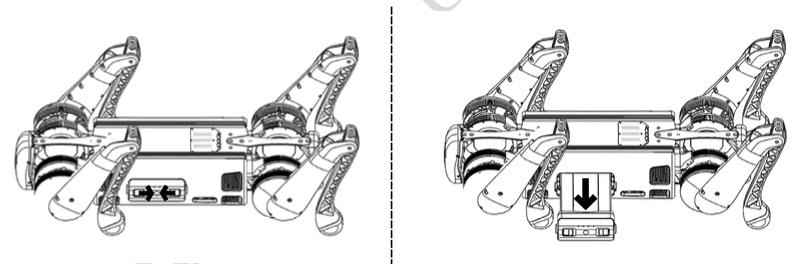
Fig. 99 B1 Battery Removal