Go2 App
The Go2 App is a simple web application that demonstrates how to use the Go2. You can access the Go2 App at Go2 App. First of all you need to download the Go2 App from the link above.
Binding
During the binding process, keep your phone bluetooth on, close to the robot, and do the following steps:
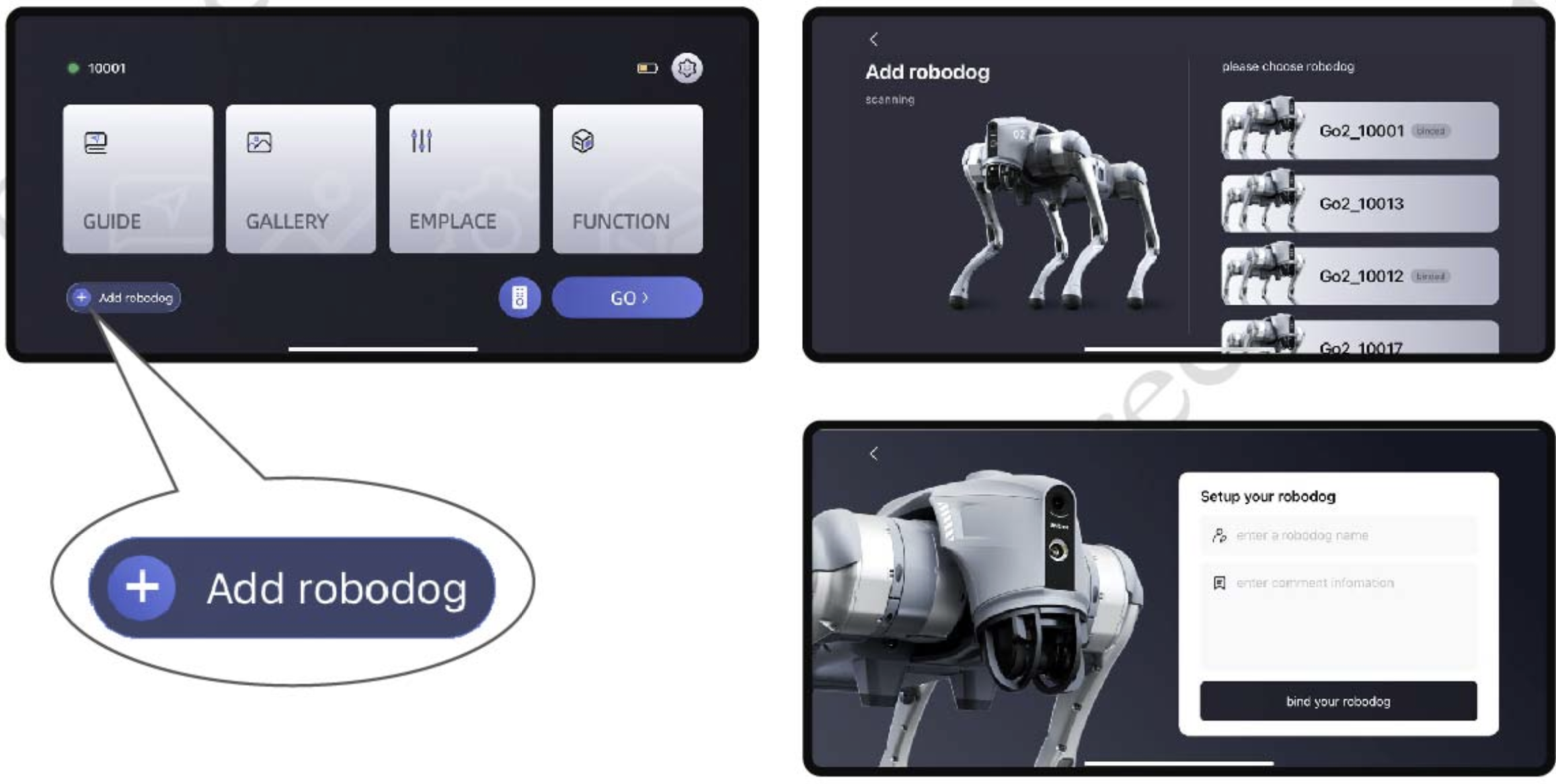
Fig. 92 Go2 App Binding
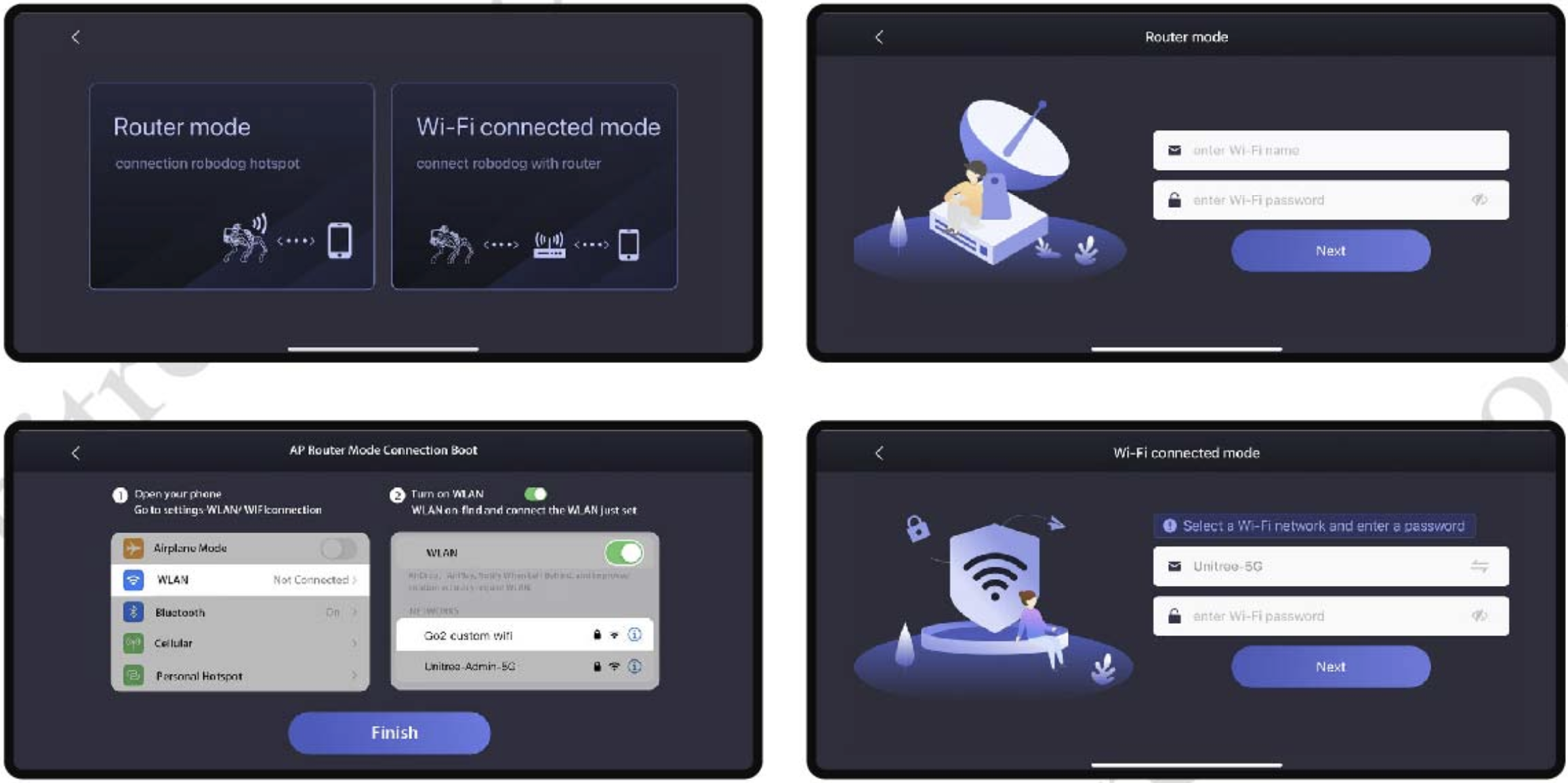
Fig. 93 Go2 App Binding
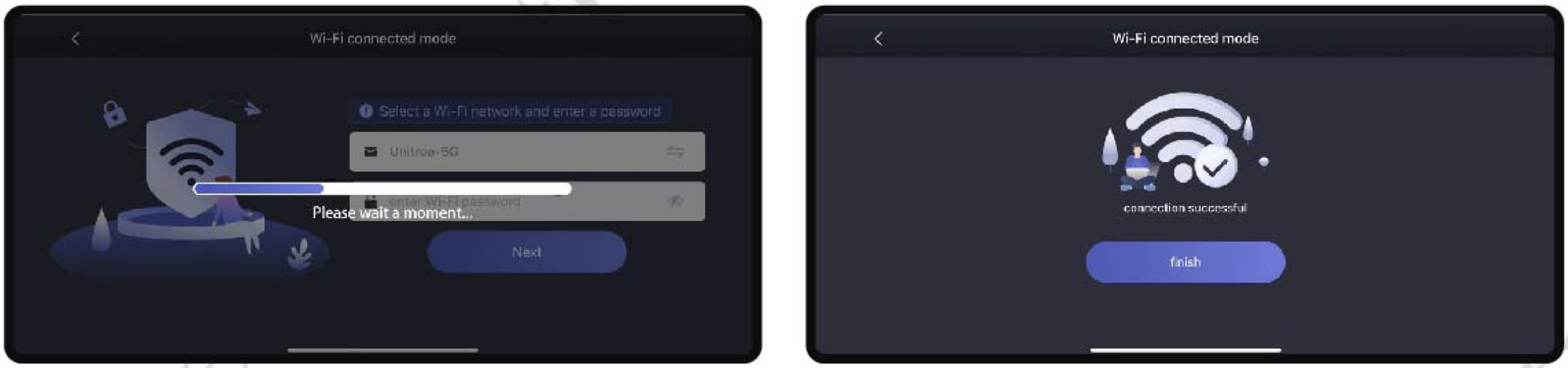
Fig. 94 Go2 App Wifi Binding
Video below shows how to connect the app to the robot.