Power Off
- Before turning off the robot,
Ensure that the Unitree B1 robot stands on a flat surface.
Ensure that the robot is in a static state and not moving.
- Now, follow the steps below to turn off the robot:
Press the L2+A buttons twice. The robot completed the joints locking and laying down actions in turn.
After robot’s laying down action is completed, press the
powerbutton briefly and then press thepowerbutton again for 4 seconds to shut down the robot.
Battery Remove
To remove the battery, Press and hold the two buckles on the battery packs and push it inward to pop up the battery packs. See Fig. 86 for more details.
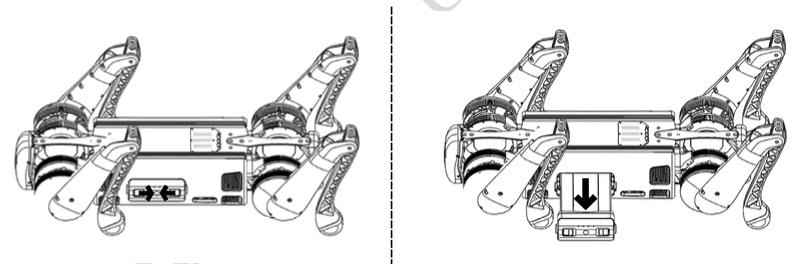
Fig. 86 B1 Battery Removal
Boxing
Warning
Be careful to pinch your fingers when boxing the robot.
Fig. 87 shows the boxing of the robot.
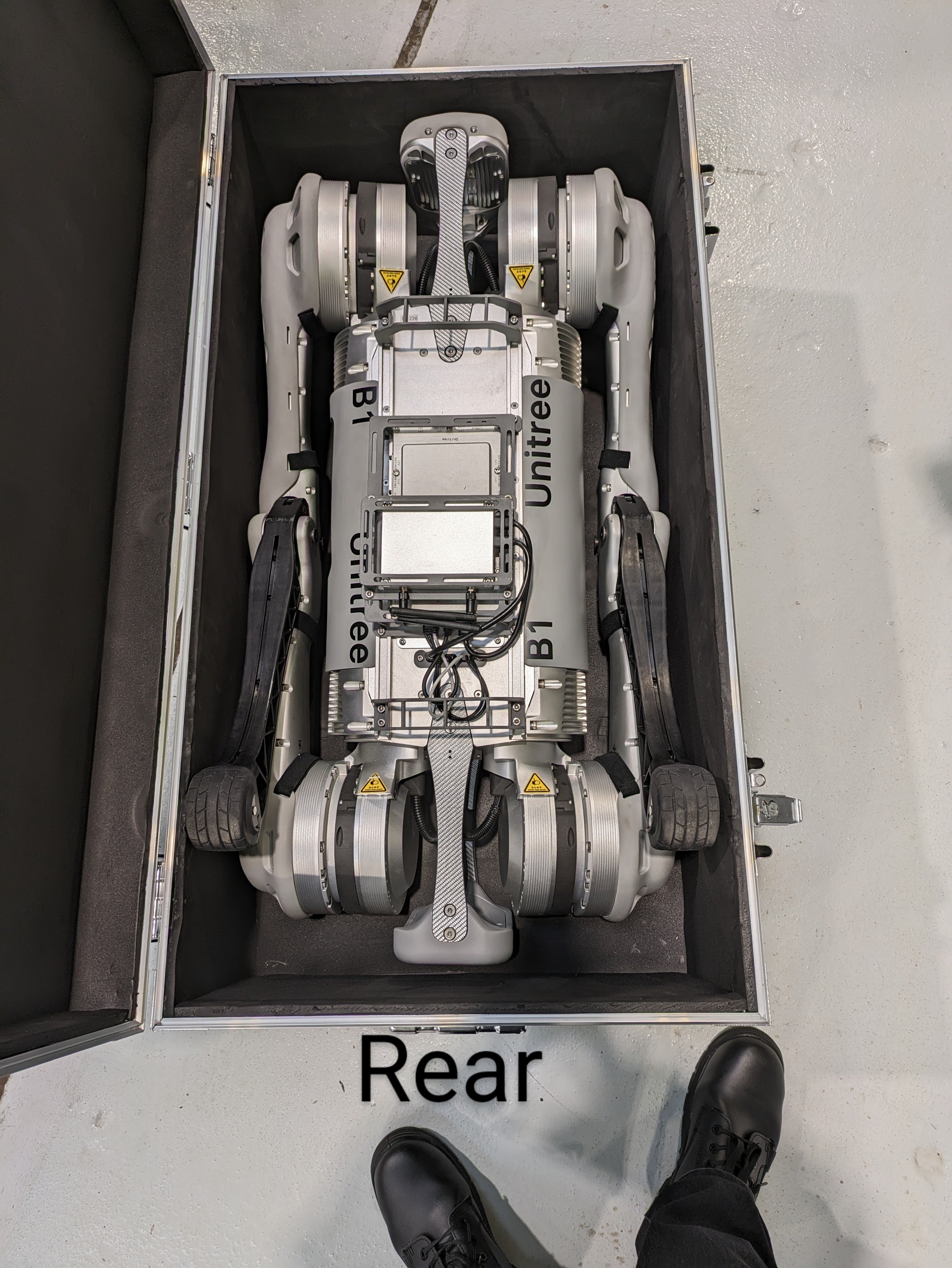
Fig. 87 B1 Boxing